AI-Powered Email Triage in 2026: How SMEs Automate Inbox Chaos
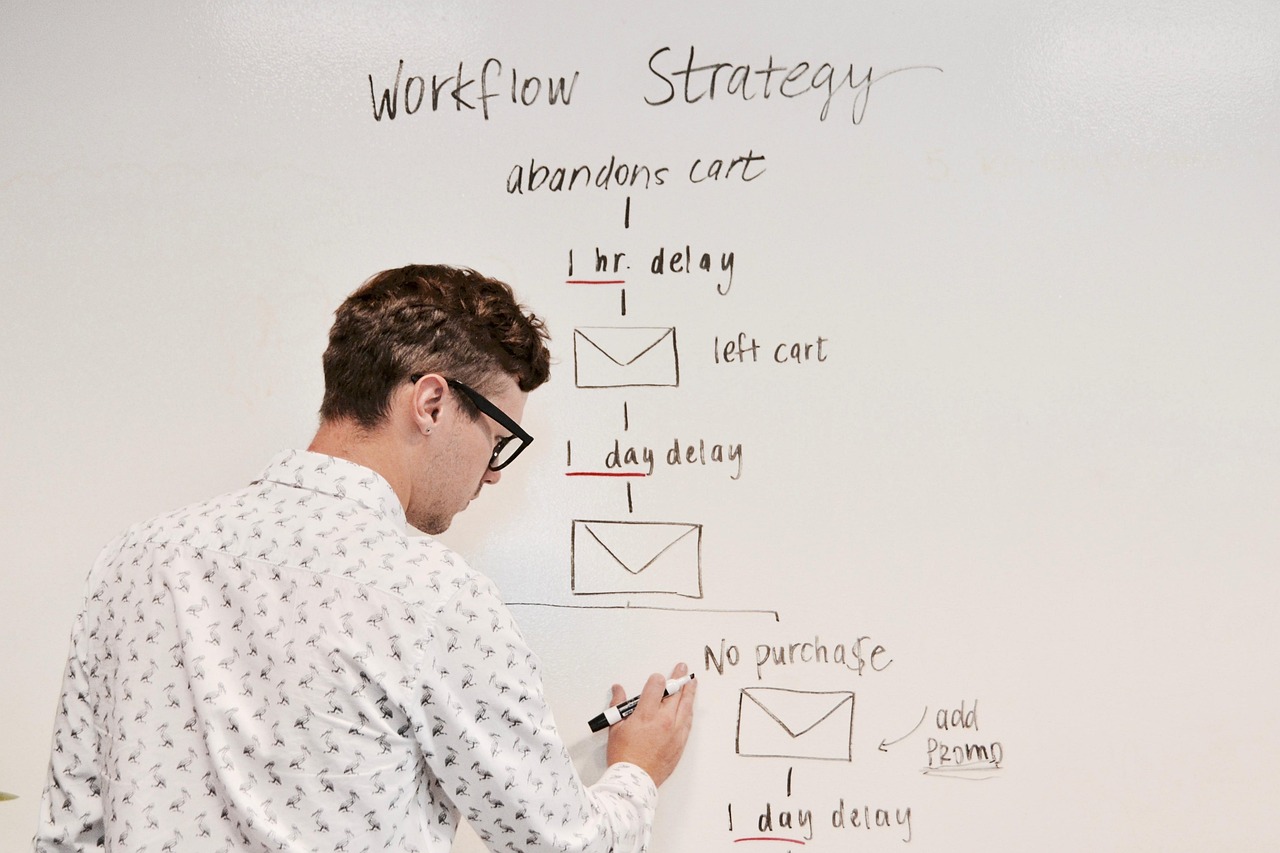
Every growing support or ops team eventually hits the same wall: the inbox stops being manageable by simply reading emails top to bottom. Support requests, sales inquiries, vendor invoices, partnership pitches, and internal forwards all land in the same place, and someone has to figure out what matters right now versus what can wait. In 2026, more startups and SMEs are solving this with AI-powered email triage rather than adding headcount to keep up with volume.
This is not about replacing a support inbox with a chatbot. It is about putting an AI layer in front of (or inside) the inbox that reads every incoming message, understands what it is, decides how urgent it is, drafts a response where appropriate, and routes it to the right person or queue. The human still makes the final call on anything sensitive, but the sorting, reading, and first-draft writing that used to eat hours of a day gets handled automatically.
Why Email Triage Became a Bottleneck for Growing Teams
When a company is small, one inbox and one or two people can manage it fine. As the business grows, though, email volume tends to grow faster than headcount, especially for support and sales-adjacent teams. A founder or ops lead ends up spending the first hour of every day just reading and sorting, before any actual problem-solving happens. For example, a support team fielding a few hundred emails a day might find that a third or more of that volume is repetitive: order status checks, password resets, pricing questions, or vendor follow-ups that do not need a fresh answer written from scratch each time.
The cost of this is not always obvious in a spreadsheet. It shows up as slower response times, urgent emails buried under routine ones, and staff burnout from context-switching between a billing complaint, a sales lead, and a shipping notification in the same five minutes. Hiring more people to sort email is expensive and does not scale cleanly, since volume can spike seasonally or after a marketing push in ways that are hard to staff for permanently.
What AI-Powered Inbox Triage Actually Does
A well-built email triage system typically performs four connected jobs, often within seconds of a message arriving:
- Classification: the AI reads the subject and body and tags the email by type, such as support request, sales inquiry, vendor communication, billing issue, or spam.
- Prioritization: based on the classification, sender history, and language used (urgency words, angry tone, mention of a deadline), the system assigns a priority level.
- Draft response generation: for common, well-understood categories, the AI drafts a reply in the company's tone of voice, ready for a human to review, edit, or approve with one click.
- Routing: the email (and its draft, if one exists) gets sent to the right queue, person, or team, whether that is a helpdesk ticket, a CRM lead record, or a specific team member's task list.
None of these four steps is new in isolation. Keyword-based filters and canned responses have existed for years. What changed by 2026 is that large language models can understand context and nuance well enough to make these decisions reliably across messy, real-world inboxes, rather than relying on rigid keyword rules that break the moment a customer phrases something unexpectedly.
An Illustrative Example: A Support Inbox Under Pressure
Consider a hypothetical SME, an online furniture retailer with a lean three-person support team. Their shared inbox receives a mix of order status questions, damaged item complaints, return requests, wholesale inquiries, and the occasional vendor email about shipping delays. Before any automation, the team might spend most of the morning simply reading through the backlog to figure out what is urgent.
With AI triage in place, a scenario might look like this: a message arriving at 2am mentioning a damaged item and a wedding deadline in three days gets flagged as high priority and routed straight to a team member's queue, with a draft apology-and-replacement reply already prepared. A routine order status question gets auto-classified, matched against the order number, and answered directly using order data pulled from the store platform, often without any human involvement at all. A wholesale inquiry from a new business account gets tagged as a sales opportunity and routed to the founder's queue instead of the general support queue, since that kind of lead typically needs a different tone and follow-up process.
The point of this example is not a specific number or guaranteed outcome, since every inbox and business is different. It illustrates the shift: instead of a person deciding what to open first, the system has already done a first pass, so human attention goes toward the messages that genuinely need judgment, empathy, or a sales conversation.
How to Set Up AI Email Triage: A Step-by-Step Process
Building this kind of system is a process, not a single toggle switch. Here is a general sequence that tends to work well for SMEs and startups approaching it for the first time.
- Audit current email volume and categories. Pull a sample of a few weeks of inbox history and manually tag a batch of emails by type. This becomes the baseline the AI model will be trained or prompted against, and it often reveals categories the team did not realize were so common.
- Define priority and routing rules. Decide which categories are truly urgent (angry customers, potential churn, time-sensitive vendor issues) versus routine, and map out which queue, person, or tool each category should land in.
- Connect the inbox and relevant data sources. The AI layer usually needs access to the shared inbox, plus context from a helpdesk tool, CRM, or order management system so it can pull real data (like order status) instead of guessing.
- Build and test the classification and drafting logic. This is where prompts, examples, and guardrails get written so the AI reliably identifies categories and drafts replies that match the company's actual tone, not a generic customer service voice.
- Start with human-in-the-loop review. Rather than letting AI-drafted replies send automatically from day one, most teams route drafts to a human approval step first, so mistakes get caught early and trust in the system builds gradually.
- Expand auto-send for low-risk categories. Once the team is confident in accuracy for specific categories, like simple FAQ answers or order status replies, those can be allowed to send without review, while anything sensitive stays human-approved.
- Monitor, retrain, and refine. Inboxes evolve as the business does. New product lines, seasonal promotions, or policy changes mean the classification and drafting logic needs periodic review and adjustment rather than a one-time setup.
Teams that skip the human-in-the-loop phase tend to run into trust problems fast, since one badly worded auto-sent reply to an upset customer can undo weeks of goodwill. A staged rollout protects against that while still getting most of the time savings early on.
Key Benefits of AI-Driven Inbox Triage
- Faster first response times. Routine questions can be answered within minutes instead of sitting in a queue for hours, which matters a lot for sales inquiries where slow replies often mean a lost lead.
- Consistent prioritization. Urgent or high-value emails do not get buried under routine ones just because of arrival order, since the system evaluates content and context rather than simply going in chronological order.
- Less repetitive work for staff. Team members spend less time reading and drafting responses to the same handful of question types over and over, freeing them up for conversations that actually need a human touch.
- Scales with volume spikes. A marketing campaign or seasonal rush that doubles email volume does not necessarily require doubling staff, since the AI layer absorbs a large share of the routine sorting and drafting work.
- Better data on what customers actually need. Because every email gets classified, teams end up with a running record of which issue types are most common, which can inform product or process fixes upstream.
- Lower cost of scaling support operations. Instead of hiring proportionally to email volume, teams can grow revenue and customer count while keeping support headcount closer to flat.
Where Email Triage Fits Alongside Other Automation
Email triage rarely lives in isolation. Many of the same SMEs automating their inbox are also dealing with paperwork like invoices and contracts, where a similar AI-driven approach applies. If email triage often touches attachments, it is worth exploring a broader AI document processing automation setup so scanned invoices, purchase orders, and forms get extracted and structured alongside the emails that carry them.
Choosing the right underlying tooling also matters a great deal here. Some teams can get a working triage system out of an off-the-shelf automation platform, while others need a more tailored pipeline once volume, compliance needs, or integration complexity grow. It is worth working through the tradeoffs before committing, and a useful starting point is comparing no-code versus custom automation options for SMEs to understand what fits your inbox's actual complexity rather than defaulting to whichever tool is most familiar.
Because inbox triage sits right at the intersection of natural language understanding, business logic, and existing software integrations, it is usually not a weekend DIY project once an SME is past a certain volume. Teams that want this built properly, with the right guardrails, human-review stages, and integrations into their existing helpdesk or CRM, often work with a dedicated partner. Mavani Solution's AI development services cover exactly this kind of custom agent and automation work, tailored to how a specific business's inbox and workflows actually function rather than a generic template.
Common Pitfalls to Avoid
A few mistakes show up repeatedly when teams build this kind of system without enough planning. The first is skipping the audit step and assuming the team already knows the category breakdown of their inbox; in practice, the actual mix is often surprising once someone tags a real sample. The second is going straight to full auto-send without a review period, which risks a bad reply reaching a customer before anyone notices a pattern is off. The third is treating the system as a one-time build. Inboxes shift as products, policies, and customer behavior change, so the classification logic needs a regular check-in, not a single launch and forget.
Data privacy is worth flagging too. Support and vendor inboxes often contain sensitive information, so it matters where the AI processing happens, how long data is retained, and who has access to drafted replies before they are sent. Building this with clear data handling policies from the start avoids painful retrofits later.
Related reading: AI Automation for Startups: What to Automate First to Scale.
Conclusion
Inbox overload is one of the clearest signs that a growing SME or startup has outgrown manual processes, and it is also one of the more approachable places to start with AI automation, since email is structured, text-based, and easy to measure improvements against. Teams that get classification, prioritization, drafting, and routing working well together tend to find that their existing staff can handle meaningfully more volume without burning out or hiring reactively every time growth accelerates.
Across the 37+ products Mavani has delivered, AI-driven workflow and automation components like this have become a recurring theme for clients trying to do more with the team they already have, rather than scaling headcount purely to keep pace with communication volume. If your inbox has become the bottleneck for your support or sales team, treating it as an automation problem, not just a staffing problem, is usually the more sustainable path forward.
Frequently Asked Questions
- What is AI-powered email triage, exactly?
- AI email triage uses language models and workflow automation to read incoming messages, classify them by type and urgency, draft or suggest replies, and route each one to the right person or queue, all before a human even opens the inbox. Instead of a team member scanning every email in order, the system does a first pass and surfaces what actually needs attention first.
- Will AI triage replace our support or ops team?
- Not typically. Most SMEs use it to remove the repetitive sorting and drafting work so existing staff can focus on judgment calls, relationship building, and edge cases. For example, a two-person support team might use AI triage to keep up with rising email volume instead of hiring a third person, rather than replacing either of the two.
- Is it safe to let AI draft replies to customers automatically?
- It can be, if you design it carefully. Many teams start with AI drafting replies for human review and approval, then gradually allow full auto-send only for narrow, low-risk categories like order status or FAQ style questions, keeping anything involving refunds, complaints, or contracts in a human-approval queue.
- How long does it take to set up email triage automation?
- It depends on inbox complexity, integrations, and how many categories or routing rules you need. A simple setup covering one shared inbox with a handful of categories could be running within a few weeks, while a multi-inbox setup across support, sales, and vendor emails with custom CRM and helpdesk integrations naturally takes longer to build and tune.
- What tools or platforms are used to build this kind of automation?
- Implementations vary. Some teams connect existing helpdesk or CRM tools to an AI layer via automation platforms, while others need a custom-built pipeline for more control over classification logic, data privacy, and integrations. The right choice depends on your existing stack, volume, and how specific your routing rules are.