No-Code vs Custom Automation: When to Graduate to Custom Code
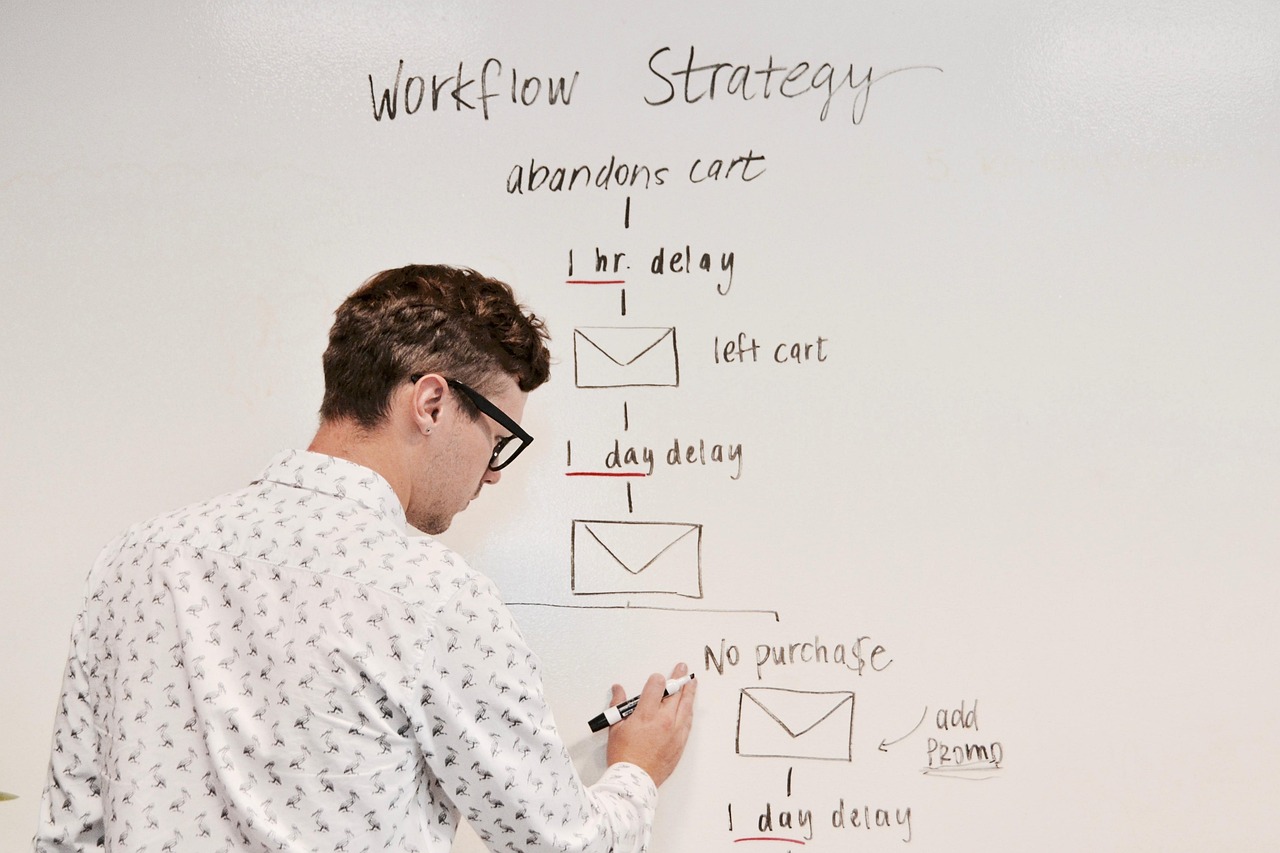
No-code and low-code platforms like Bubble, Webflow, Zapier, and Airtable have changed what a small team can build in a weekend. A founder with no engineering background can launch a working product, automate a sales process, or stand up an internal tool without writing a line of code. For early-stage validation, that speed is genuinely valuable. The harder question comes later: at what point does the convenience of no-code start costing more than it saves, and how does a team make that call without either rebuilding too early or hanging onto a fragile system too long?
Why No-Code Is the Right Starting Point for Most Teams
The core promise of no-code tools is speed. A founder testing whether a market wants a product does not need a custom-built backend with a polished API layer; they need something working in front of real users as fast as possible, so they can learn and adjust. No-code platforms remove the dependency on hiring engineers before there is evidence the product is worth building at all. They are also genuinely good for internal automation, connecting a CRM to a support tool, triggering a Slack notification when a form is submitted, or generating a report on a schedule, where the workflow is well understood and does not need custom logic.
The mistake is treating the no-code decision as permanent rather than a stage. A tool chosen because it was fast to set up during early MVP development is not automatically the right tool once a product has paying customers, meaningful data volume, and specific performance or integration requirements the platform was never designed for. This decision sits alongside the closely related question covered in our comparison of n8n, Zapier, and custom AI automation for SMEs, since workflow platforms and app-builder platforms tend to hit the same kind of scaling ceiling for similar reasons.
Team composition plays a role here too. A founder or operations lead who is comfortable configuring workflow automation but has no engineering background will naturally lean on no-code tools longer, and that is not necessarily a mistake, it reflects a real constraint. The moment that calculus changes is usually when a company hires its first engineer or engineering lead, since custom code stops requiring an outside agency for every small change and becomes something the internal team can maintain directly. Recognizing that shift, rather than continuing to default to the tool the non-technical founder originally set up, is often what unlocks the next stage of process scaling.
A Real-World Example
For example, imagine an early-stage logistics startup that built its dispatch workflow entirely in a workflow automation tool: a new order triggers a series of steps checking driver availability, calculating a route, and sending notifications. At low volume, this works well and lets the team iterate on the process quickly. Illustratively, once that startup is processing a much larger volume of orders a day, the same tool could start hitting execution limits, per-task pricing could climb into a meaningful monthly cost, and the workflow's rigid step-by-step structure could make it hard to add the kind of conditional logic a growing operation actually needs, like dynamically re-routing orders when a driver cancels. That is typically the point where custom-built automation, even a relatively small, purpose-built service, starts paying for itself against the ongoing platform fees and the operational friction of working around the tool's limits.
How to Decide: A Step-by-Step Process
- Audit current workflows and their cost. List every workflow running on a no-code platform, along with its monthly platform cost and how often it hits any usage limits or errors.
- Identify workflows with growing complexity. Flag any workflow that has accumulated a lot of conditional branches or workarounds, since these are usually the first candidates for custom code, not the simplest ones.
- Check for platform ceilings. Look for hard limits on record counts, API calls, execution time, or concurrent runs that the workflow is approaching, since hitting a ceiling in production is far more disruptive than migrating ahead of it.
- Estimate the cost of custom development against ongoing platform fees. Compare the one-time or phased cost of building custom automation against the trajectory of no-code platform costs if usage keeps growing at the current rate.
- Prioritize the highest-leverage migration first. Rather than replacing everything at once, migrate the single workflow causing the most cost, risk, or limitation, and validate the new system before moving the next one.
- Keep low-stakes workflows on no-code. Internal, low-volume, or frequently changing processes often remain a better fit for no-code even after a company has engineering capacity, since the speed of iteration still matters there.
- Document the migration plan with stakeholders. Make sure whoever owns the business process, not just engineering, signs off on the new system's behavior before the old workflow is retired.
Timing the migration also matters for morale and momentum inside the team. Waiting until a workflow is failing regularly, causing customer complaints, or burning significant engineering time on manual workarounds tends to make the eventual migration feel like an emergency, rushed and stressful, rather than a planned improvement. Teams that build a habit of revisiting their highest-cost or highest-friction workflows on a quarterly basis, before they become urgent, generally end up with a smoother transition and fewer surprises when the migration actually happens.
Key Benefits of Graduating at the Right Time
- Predictable, often lower costs at scale. Custom automation typically trades ongoing per-task platform fees for infrastructure costs that do not scale as steeply with volume.
- No platform ceilings. Custom-built systems are not constrained by a vendor's execution limits, record caps, or rate limits, which removes a recurring operational risk as the business grows.
- Room for custom logic. Complex conditional workflows, unusual integrations, or performance-sensitive processes are far easier to implement in code than to force into a visual workflow builder.
- Better long-term maintainability. Version-controlled, tested code is generally easier for a growing engineering team to reason about and extend than a sprawling set of interconnected no-code workflows built by different people over time.
Avoiding the Two Common Mistakes
Two failure modes show up repeatedly. The first is rebuilding too early, spending engineering time and capital on custom infrastructure before the business has validated that the workflow, or the product, is even worth optimizing. The second, more common mistake is waiting too long, letting a critical business process stay on a fragile stack of automations and workarounds well past the point where platform fees, reliability issues, or missing functionality are visibly costing the business more than a migration would. Reviewing workflow cost and limitations on a regular cadence, rather than only when something breaks, is the simplest way to avoid both.
Signals That Are Easy to Miss
Beyond the obvious cost and limit signals, there are softer indicators worth watching. If the person who built a workflow leaves the company and nobody else fully understands how it works, that fragility is a cost even if the platform bill looks fine. If a workflow now requires several connected automations chained together, each triggering the next, to accomplish something that would be a single function in code, that complexity is itself a warning sign, since chained no-code workflows tend to fail in ways that are hard to diagnose, with errors surfacing several steps away from their actual cause. If customer-facing reliability depends on a third-party platform's uptime for a core business process, that is worth weighing against the reliability guarantees a custom-built, directly monitored system can offer. None of these signals alone means it is time to migrate, but a workflow showing several of them at once is usually a stronger candidate for custom code than its raw platform cost alone would suggest.
The right question is never "no-code or custom code" as a permanent identity for a company. It is "which tool fits this specific workflow, at this specific stage, given this specific volume."
What a Migration Actually Involves
Moving a workflow from a no-code platform to custom code is rarely a simple lift-and-shift. It usually starts with documenting the existing workflow's actual behavior, including edge cases that were handled informally through manual fixes rather than explicit logic, since those undocumented exceptions are easy to miss when rebuilding. From there, the typical approach is to build the custom version alongside the existing workflow, run both in parallel on a subset of traffic to confirm they produce the same outcomes, and only then cut over fully. Skipping the parallel-run step is one of the more common causes of migration problems, because it is the stage that catches the edge cases a no-code workflow accumulated over months of small tweaks that nobody wrote down. Teams considering this path alongside a broader custom SaaS development effort often fold the migration into a larger platform build, which can be more efficient than treating it as a standalone project.
Related reading: No-Code to Pro-Code: When Startups Should Graduate to Custom Dev.
Conclusion
No-code platforms are not a compromise for teams that cannot afford custom development, they are often the correct engineering decision for early-stage validation and low-volume internal tooling. The skill worth building is recognizing when a workflow has outgrown the platform it started on, based on cost, limits, and complexity, rather than treating the original tool choice as permanent. Startups that revisit this decision deliberately, workflow by workflow, tend to spend their engineering budget on the automations that actually need custom code, while keeping everything else simple.
Frequently Asked Questions
- Is no-code good enough to launch a real startup?
- Yes, for many products. No-code and low-code platforms are well suited for validating an idea, running early customer conversations, and getting a working product in front of users quickly, without committing months of engineering time before there is evidence anyone wants the product.
- What are the clearest signs a startup has outgrown its no-code tools?
- Common signals include workflows that take longer to run as data volume grows, platform limits on records, API calls, or automation steps being hit regularly, per-task or per-workflow pricing becoming a large and growing line item, and product requirements the platform simply cannot support, such as custom logic, complex integrations, or specific performance needs.
- Does moving to custom code mean throwing away everything built on no-code?
- Not necessarily. Many teams migrate incrementally, replacing the highest-cost or most limiting workflows with custom code first while leaving lower-stakes internal tools on the no-code platform, rather than doing a full rebuild in one push.
- How much does it typically cost to move from a no-code automation tool to custom code?
- It varies widely based on the complexity of the workflows being replaced and how tightly they are integrated with other systems. For example, migrating a handful of well-defined workflows might be a scoped, weeks-long project, while replacing a sprawling set of interdependent automations across a whole business could be a much larger undertaking. A proper audit of existing workflows before estimating cost avoids surprises.
- Can no-code and custom code coexist long-term?
- Yes. Many mature companies keep no-code tools for internal, low-volume, or frequently changing workflows where speed of iteration matters more than raw performance, while running customer-facing, high-volume, or performance-critical systems on custom-built infrastructure.