Startup Dashboards With Metabase and a Postgres Read Replica
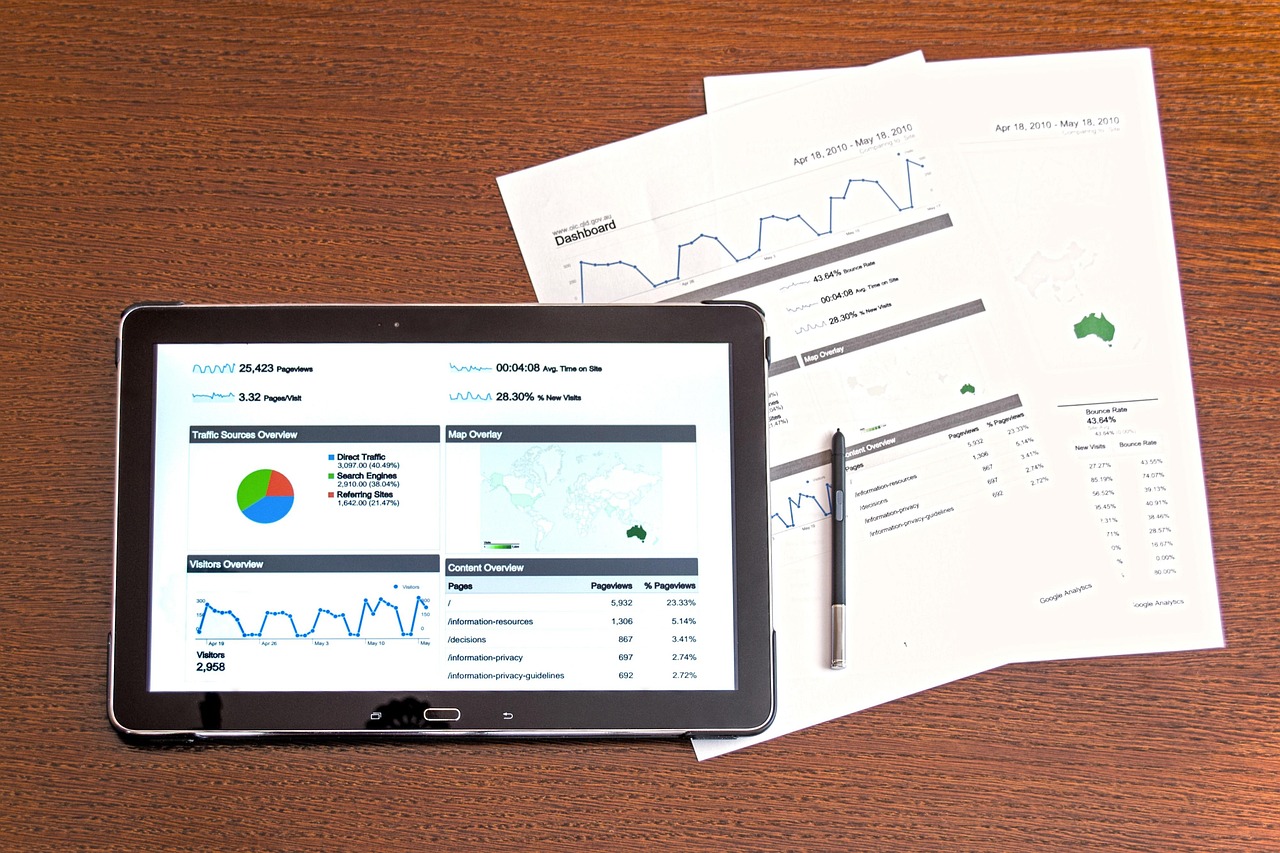
Every founder eventually asks the same question: how many people signed up last week, and how many of them came back? In the early days, someone runs a query by hand and pastes the answer into chat. A few months later, five people want five different answers, and the engineer who knows the schema is spending evenings writing reports.
The good news is that you do not need a large data team to fix this. A read replica of your Postgres database combined with a business intelligence tool such as Metabase can give the whole company trustworthy dashboards at modest cost. This guide explains the setup, the safety rules, a worked scenario and the signs that you have outgrown it.
Dashboards are only useful when people trust the numbers. Trust comes from clear definitions, safe access and consistent sources, not from fancy charts.
Why production is the wrong place for reports
Your production database exists to serve customers. Analytical questions look very different from customer requests. A customer request fetches a few rows by key. A report might scan millions of rows, join many tables and group the results. Run a big report during peak traffic and it can lock resources, slow responses and, in the worst case, cause timeouts for real users.
There is also a human risk. Giving non-engineers direct access to the primary database means one mistyped statement could change or delete real data. Separating reading from writing removes that fear.
The simple architecture
The pattern has four parts:
- Primary database: Your normal Postgres instance that powers the app.
- Read replica: A continuously updated copy. Most managed Postgres services, such as those on major cloud providers, can create one with a few clicks.
- Read-only user: A database account with permission to read only the tables or views you choose.
- BI tool: Metabase connects to the replica, lets people build questions visually or in SQL, and arranges results into dashboards.
Because the replica receives changes from the primary, it is usually a little behind. For business dashboards, a delay of seconds or minutes rarely matters. For anything that needs exact real-time numbers, such as a live inventory count shown to customers, use the application itself rather than the dashboard.
A real-world style example: a subscription app finds its leaky step
Picture a hypothetical subscription app for fitness coaches. This is an illustrative scenario, not a reported client outcome. The founders feel growth is slowing but cannot say why. Engineers pull numbers on request, and each answer takes a day.
After setting up a replica and Metabase, the team builds four dashboards in a week: acquisition, activation, retention and revenue. On the activation dashboard, they chart the share of new coaches who add a first client within three days of signing up. The chart shows a sharp drop between "created account" and "added first client". That single view redirects the next sprint toward a clearer onboarding step instead of a new feature nobody asked for.
Nothing about this required machine learning or a warehouse. It required a safe place to ask questions and an agreed definition of "activated". If you are still defining what to measure, our guide to the north star metric for startups is a good place to start.
Step-by-step setup
- Agree on five questions. Ask each team lead for the questions they ask most often. Limit the first release to a handful so you finish.
- Create the read replica. Use your cloud provider's managed feature. Size it modestly and increase later if needed.
- Create a read-only role. Grant select permission only, and only on approved schemas or views. Never reuse the application's credentials.
- Build views for sensitive tables. Expose a users view that leaves out passwords, tokens, phone numbers and other personal data unless truly required.
- Deploy Metabase. Host it in a private network or behind single sign-on, and connect it to the replica with the read-only role.
- Define metrics once. Save official questions such as "active users" or "monthly recurring revenue" in a shared collection so everyone uses the same logic.
- Build dashboards around decisions. Each chart should help someone decide something. If nobody can say what they would do with it, remove it.
- Set permissions and a review rhythm. Use groups to control access, and review the dashboards monthly to retire stale charts.
Keeping numbers trustworthy
Write definitions in plain language
Next to every key metric, add a short description: what counts, what does not, which timezone is used and when it was last reviewed. Disagreements between teams often come from different definitions rather than different data.
Fix tracking at the source
Dashboards built on messy events produce messy answers. If your product events are inconsistently named or missing, work through our guide to building an analytics tracking plan before adding more charts.
Mind the timezones
Store timestamps in UTC and convert for display. A report that groups by day in the wrong timezone can shift revenue from one day to the next and cause confusing disagreements.
Protect performance
Set query timeouts and row limits in your BI tool, and add indexes on the replica only when slow queries justify them. Cache popular dashboards so refreshes do not repeat heavy work.
Key benefits for a young company
- Self-serve answers: Non-engineers can explore data without waiting in a queue.
- Safer production: Heavy reports stop competing with customer traffic.
- Shared language: Official metrics reduce arguments about whose spreadsheet is right.
- Faster decisions: Seeing the funnel weekly highlights problems while they are still small.
- Low commitment: The setup is inexpensive to start and easy to replace later.
Customer-facing analytics are different
Internal dashboards answer your questions. If your customers need charts inside your product, requirements change: strict tenant isolation, branding, performance for every user and an API. Read our overview of embedded analytics for SaaS dashboards before trying to repurpose an internal BI tool for that job.
When to graduate to a warehouse
A replica works well until your questions start crossing system boundaries. Signals that a warehouse may be worth considering include:
- You need to combine product data with billing, marketing, support and ad platform data.
- You want years of history that your application database does not keep.
- Replica queries are slow despite sensible indexes.
- Analysts keep writing complex transformations that should be reusable models.
At that point, copying data into a warehouse and modelling it with a transformation tool gives you cleaner, faster analysis. Do it when the pain is real, not because it is fashionable. If your team lacks the time to design and run this pipeline, our SaaS development team can help you plan the data foundation alongside the product.
Security checklist before sharing dashboards
- Connect through a private network or a secured tunnel, never an open database port.
- Use single sign-on or strong passwords with multi-factor authentication for the BI tool.
- Exclude personal data columns by default and add them only with a documented reason.
- Log who views and exports sensitive dashboards.
- Rotate the read-only credentials on a schedule.
Choosing the first dashboards wisely
Teams often fail by building too many dashboards too early. A better approach is to start from the decisions your company makes each week. A founder deciding where to spend marketing money needs acquisition and conversion views. A product lead deciding what to build next needs activation and feature usage. A finance lead preparing for investor updates needs revenue, churn and cash-related summaries. Build one dashboard per decision-maker, and keep each to a handful of charts.
Review usage after a month. Most BI tools show which dashboards people open. Remove those nobody visits, and ask why: perhaps the question was wrong, the data was untrusted or the dashboard answered something nobody needed. This feedback loop keeps your reporting lean and credible.
Roles and responsibilities
Even a small company benefits from naming an owner for the analytics setup. This person does not need to be a full-time analyst. They approve new official metrics, watch for broken queries after schema changes and make sure the read-only credentials are rotated. Without an owner, dashboards slowly drift out of sync with the product, and trust erodes quietly. When your schema changes, tell the dashboard owner before the release, not after the charts break.
One more practical point: write down how to ask for a new chart. A short intake note, covering the question, the decision it supports, who will use it and how often it must refresh, stops the dashboard collection from becoming a dumping ground. It also gives engineers a clear way to say no to requests that do not connect to any decision, which protects everyone's time.
Conclusion
You do not need a complicated data stack to make better decisions. A read replica, a read-only user and a tool like Metabase can give a growing startup clear, shared, safe visibility within days. Start with a few real questions, define metrics once, protect sensitive data and keep the dashboards tied to decisions. When your questions outgrow the replica, you will know exactly which warehouse capabilities you need, because your dashboards will have told you.
Frequently Asked Questions
- Why not run dashboards directly on the production database?
- Heavy analytical queries can compete with customer traffic and slow down your app. A read replica or a separate analytics copy isolates that load so a large report never makes checkout or login sluggish.
- What is a read replica?
- A read replica is a copy of your primary database that continuously receives changes from it. It can serve read-only queries, which makes it a safe place to run reports, though it may lag the primary by a short time.
- Do early-stage startups need a data warehouse?
- Usually not at first. A read replica with a BI tool is often enough for the first stage. Consider a warehouse when you combine many data sources, need long history, or your queries become too slow or costly on the replica.
- Is Metabase free?
- Metabase offers an open-source edition you can host yourself and paid plans with extra features. Check the current plans on their site and factor in hosting and maintenance time when you compare options.
- How do I stop people seeing data they should not?
- Create a read-only database user with access to only the tables or views you intend to expose, mask or exclude sensitive columns, and use the BI tool's permission groups to limit who can see which collections.